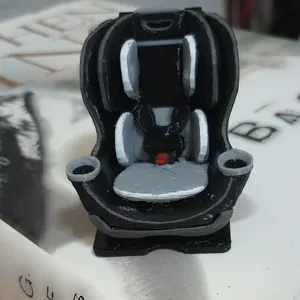
Studio is built for conversion without killing the joy of designing. Place official pieces, tweak colors, then push physical prints or licensed digital variants into a cart that remembers scale — defaulting to the scale you set in the room.
Design → Cart
From Room Design to Checkout in One Flow
Stop screenshotting wishlists. Add selected pieces or the whole room as physical or digital lines, set scale per item, and checkout when the layout is locked.
Why It's Worth It
Per-Item Scale in Cart
Change scale on each cart line without losing the room’s default for new adds.
Physical or Digital
Choose format per piece so mixed carts match how you actually build.
Room Quest → Shop the Room
Place, recolor, save and share to complete the Room Quest — then add the whole room in one tap, with quantities matching what you placed.
Trusted Checkout
Pieces live in the shop go straight to secure Shopify checkout with your colors and scale attached; anything not yet online stays on your list for the shop.
Common Questions
Does designing obligate me to buy?
No. Design is free. Checkout is only when you add pieces and continue.
Can I buy only some pieces from a room?
Yes — add the selection, or add the full room and remove lines you do not want.
What is the default cart scale?
New lines use the scale currently set in Studio (often 1:12). You can change scale per line in the cart.
Where do digital files come from?
Licensed digital purchases follow our shop / marketplace delivery rules — Studio never exposes free production files.
Keep Exploring
More Guides

1:12 Scale Dollhouse Miniatures, Handcrafted & Ready to Display

Printable Dollhouse Miniature Files for FDM & Resin Printers

Custom Handcrafted Miniature Furniture, Built to Your Idea

Dollhouse Miniature Gifts for Collectors & Builders

Build a 1:12 Scale Room Box or Diorama, Piece by Piece
Dollhouse Nursery Furniture in True 1:12 Scale
Shop Hand-Finished Dollhouse Miniatures
Design Miniature Rooms Free — Then Shop What You Love
Plan Dollhouse Rooms Online Before You Buy a Single Piece
Share Your Miniature Room — Grow Engagement, Then Convert